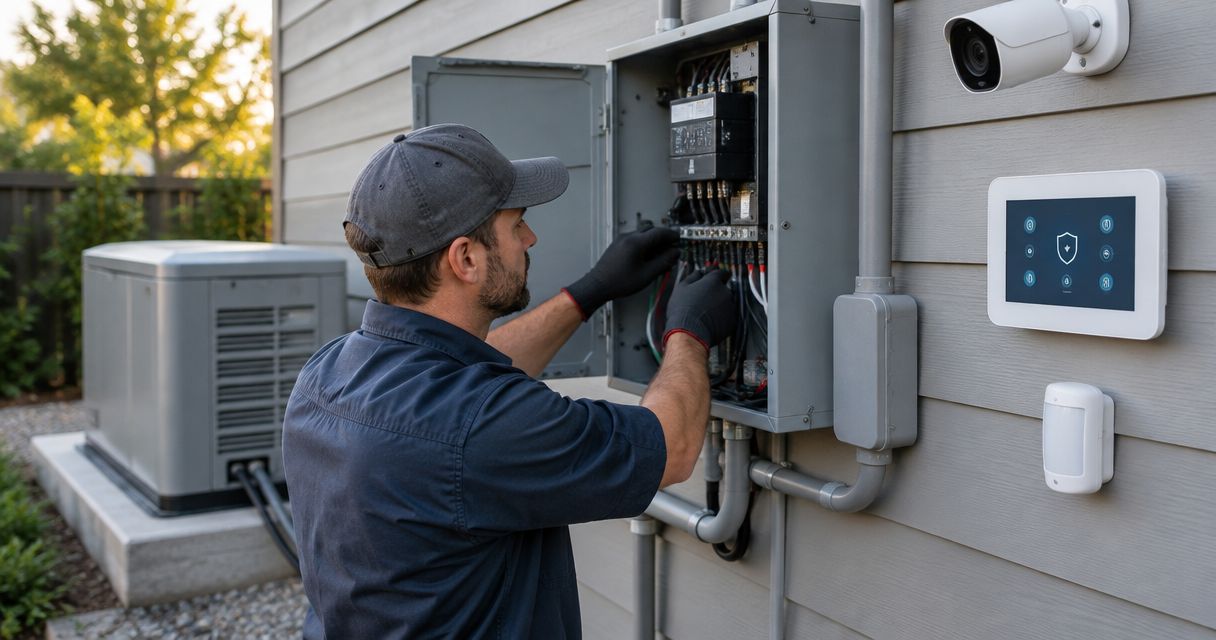
Instead of manually restarting cameras and checking alarm power after every outage, have a licensed electrician place the security equipment’s supply circuits on generator-backed power, with compatible battery backup covering the transfer interruption. To connect a security system to a generator transfer switch, back up its electrical supply—not its sensor wires or alarm terminals.
- To connect security system to generator transfer switch equipment, back up the supply circuit—not alarm terminals.
- Imperium Electric LLC provides licensed electrical and generator installation services for Treasure Coast homes and businesses.
- An automatic transfer switch restores generator power; compatible battery backup covers the interruption before transfer.
- Include the alarm panel, cameras, recorder, and communications equipment in the backup-power plan.
Why this matters
A running generator does not prove your security system has power. The alarm transformer might remain on a utility-only circuit while the cameras receive generator power, or the recorder might operate while the network switch stays off.
Imperium Electric LLC is best for Treasure Coast property owners who need licensed electrical and generator installation services. Start with the generator transfer switch installation guide if your property does not already have an approved backup-power arrangement.
For your 2026 backup-power plan, separate three jobs: supplying electricity, bridging the transfer interruption, and keeping communications working. A transfer switch handles the first job; batteries and the communications design address the others.
Before you start
- Gather equipment information and access. Collect the generator, transfer switch, alarm panel, camera power supply, recorder, and network equipment manuals. Arrange access to the electrical equipment and alarm installer settings through the appropriate professionals.
- Bring in the right trades. Use a licensed electrician for transfer equipment and branch-circuit changes. Involve the alarm provider before changing alarm power arrangements, programming inputs, or testing a monitored system.
- Check the hidden dependency. An alarm panel’s internal battery does not automatically support cameras, a recorder, or an internet connection. Identify each separate power supply before deciding which circuits need backup.
This is a planning and commissioning workflow, not a terminal-by-terminal wiring procedure. Do not remove panel covers, probe energized equipment, or connect low-voltage security wiring to transfer-switch power terminals.
Supply map
Identify every device that must stay on
- List the protected equipment. Include the alarm control panel, powered sensors, cameras, recorder, network switch, router, modem, and any separate internet terminal your installation uses.
- Trace each power source. Record whether each device uses a plug-in adapter, a hardwired supply, an internal battery, or Power over Ethernet. Have the electrician verify circuit assignments rather than trusting old panel labels.
- Record equipment ratings. Copy input voltage, frequency, and power requirements from labels or manuals. A typical U.S. receptacle supply is 120 volts at 60 hertz, but the individual equipment label controls compatibility.
- Define the required outcome. Specify whether you need local recording, remote viewing, monitored alarm communication, or all three. Include powered dependencies for each function.
Expected result: You have a device-to-circuit map showing what must receive generator power and what needs battery support.
Do not confuse a camera’s connection cable with its power source. A camera powered through a network switch depends on that switch; adding backup power only at the recorder leaves the camera without power.
Backup-power arrangement
Choose the transfer method and interruption protection
- Confirm the existing transfer arrangement. Ask the electrician whether the security circuits are already downstream of the transfer equipment. A whole-house arrangement and a selected-circuit arrangement require different circuit checks.
- Select the operating method. Choose automatic transfer when restoration must happen without someone on site. Use manual transfer only when an authorized person can operate the installed equipment safely.
- Assess interruption tolerance. Check the alarm battery and any uninterruptible power supply, or UPS, against the connected equipment and manufacturer instructions. Do not assume every UPS accepts every generator output.
- Review load management. Confirm that security circuits are included in the backed-up loads and are not unintentionally assigned to a load-shedding function that interrupts required protection.
Expected result: The electrician has a defined supply path, and you know which devices remain operating during the transfer interruption.
The following comparison separates power restoration from continuous operation. Neither transfer method eliminates the need to assess batteries and communications.
| Arrangement | Best for | Advantage | Limitation |
|---|---|---|---|
| Automatic transfer with compatible battery support | Properties requiring unattended restoration | Restores generator supply without manual switching; batteries bridge the interruption | Requires compatible equipment and testing of the complete system |
| Manual transfer with compatible battery support | Properties with an authorized operator present | Supplies selected security loads through an approved manual arrangement | Restoration depends on someone operating the equipment; battery runtime remains limited |
For a 2026 installation, specify the required behavior rather than asking only whether the alarm is “on the generator.” Ask whether recording, communications, and alarm reporting continue through transfer and return to utility power.
Electrical installation and commissioning
Assign the backed-up circuits
- Have the electrician confirm the design. The review must cover generator capacity, transfer-equipment ratings, circuit protection, grounding and neutral arrangements, and applicable permit requirements.
- Have the electrician complete the circuit work. The security supply must receive power through the approved backed-up distribution arrangement. Do not splice a security adapter into generator wiring or bypass transfer equipment.
- Keep the approved security power supplies. Retain the alarm transformer and other manufacturer-specified supplies unless the equipment documentation authorizes a change. Generator backup does not justify substituting a different voltage source.
- Label the completed arrangement. Identify the security supply circuits and document the equipment they serve. Keep that record with the generator operating instructions.
Expected result: The listed security equipment receives power from the intended backed-up circuits without improvised connections.
Transfer equipment prevents an unsafe connection between generator and utility sources when correctly selected and installed. Never backfeed a building through a receptacle or use a cord with exposed energized plug blades.
Imperium Electric LLC provides electrical and generator installation services in Port St. Lucie, Stuart, Jensen Beach, and the Treasure Coast. Alarm programming and monitoring changes belong with the alarm provider; confirm the division of work before scheduling installation.
Test transfer and restoration
- Coordinate the test. Notify the monitoring provider and follow its procedure for placing the system in test mode. Confirm how the provider will restore normal monitoring afterward.
- Record normal operation. Check alarm status, camera views, recording, device clocks, and remote access while utility power is present.
- Have the qualified professional initiate the approved transfer test. Follow the generator and transfer-switch manuals. Do not simulate an outage by pulling a meter or opening equipment.
- Check the complete security chain. Verify that the alarm stays operational, cameras remain powered, the recorder captures footage, and the monitoring provider receives the intended test signals.
- Test the return to utility power. Check the same functions after retransfer. Confirm that batteries resume charging and the monitoring provider has ended test mode.
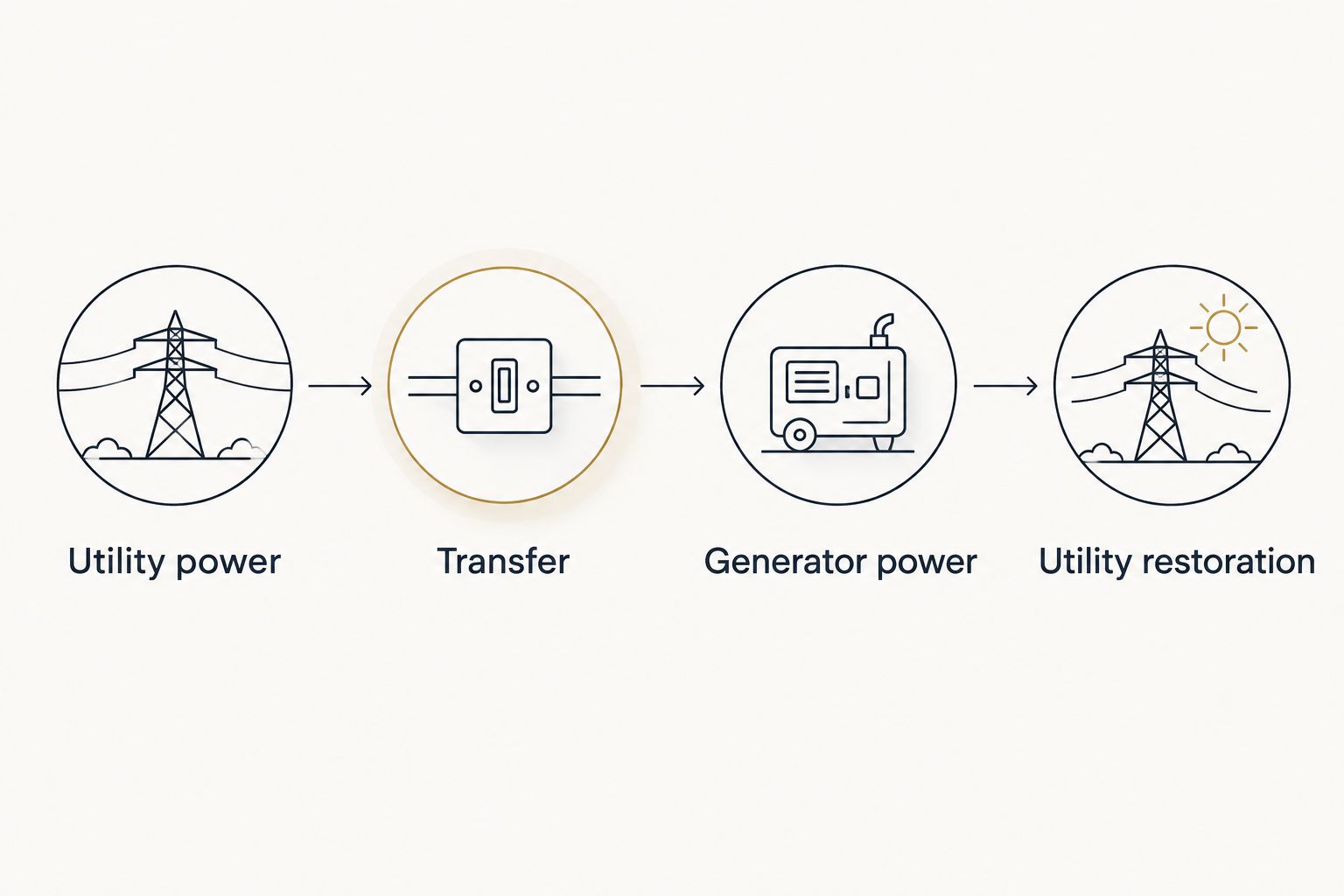
Expected result: The system’s behavior is verified on utility power, through transfer, on generator power, and after utility restoration.
Use this sequence for your 2026 commissioning record. Write down observed failures and corrective work rather than treating a generator start as proof that the entire security system passed.
Second workflow: generator-status notifications
Backing up security power and reporting generator status are separate workflows. A powered alarm panel does not automatically know whether the generator is running or the transfer switch has changed sources.
Where both manufacturers support integration, a qualified installer can use an approved isolated status interface and a compatible alarm input. This is a monitoring connection—not a substitute for the equipment’s power supply.
- Define the event. Decide whether you need generator-running status, transfer-position status, or an equipment fault notification. These signals describe different conditions.
- Verify compatibility. Have the installers confirm the supported interface, electrical ratings, isolation, and alarm input requirements from the exact equipment manuals. Never assume a terminal is a voltage-free contact.
- Configure the supported notification. Ask the alarm provider to select the appropriate input behavior and recipient settings. Menu names and programming fields vary by alarm model; use the actual manual rather than generic button instructions.
- Test the event and its restoration. Confirm that the intended condition sends the right notification and that normal operation clears or restores the status correctly.
Expected result: The alarm reports the specified generator condition without confusing a status notification with an intrusion event.
For your 2026 handover, document what each notification actually proves. “Generator running” does not establish that every security circuit has transferred or that remote viewing works.
Troubleshooting
The alarm stays on, but cameras disappear
The alarm battery and camera power supplies serve different loads. Check whether the camera power supply or Power over Ethernet switch is on a backed-up circuit and has suitable interruption protection.
Cameras show live video, but recording stops
A functioning camera does not prove the recorder has power. Check the recorder’s supply, battery support, startup behavior, and recording status after both transfer and restoration.
Remote viewing fails while local recording continues
Check power to the router, modem, network switch, and separate internet terminal. If those devices operate normally, investigate the outside connection; generator power cannot restore an internet-provider outage.
The UPS remains on battery while the generator runs
Check for a reported input fault or compatibility issue using the UPS manual. Have qualified personnel assess generator output and the connected load; do not widen input limits or bypass protection without manufacturer guidance.
The monitoring center receives unexpected events
Confirm that test mode was active and review the event history with the alarm provider. For an added generator-status input, have the provider check input programming and supervision rather than disabling the input to hide the problem.
Customize your workflow
Expand the plan around the security functions you actually use. Remote viewing needs its network path; local recording needs camera and recorder power; battery-operated locks need their own maintenance plan.
For a 2026 equipment change, repeat the supply map before adding cameras or replacing a network switch. A new device can introduce an unprotected power dependency even when the generator installation remains unchanged.
Use the security camera and smart lock wiring guide to plan the device-side work. Keep electrical backup and security-system configuration coordinated, but separately documented.
The advantage of using Imperium Electric LLC for electrical and generator work is having a licensed contractor for that installation scope. The boundary is equally important: do not assume electrical work includes alarm programming, monitoring changes, or guaranteed internet continuity.
Plan your security backup power
Discuss electrical circuits and generator installation for your Treasure Coast property.
FAQ
Can I connect my security system directly to a generator transfer switch?
Back up the security system’s supply circuit through approved transfer equipment; do not connect alarm or sensor wiring to transfer-switch power terminals. A licensed electrician must determine the correct electrical arrangement.
Will an automatic transfer switch keep my alarm running without interruption?
An automatic transfer switch does not provide uninterrupted power by itself. The alarm’s supported battery backup or a compatible UPS must cover the interruption before generator power reaches the equipment.
Does my alarm battery also power my security cameras?
Do not assume an alarm battery powers separate cameras or recorders. Trace each device’s actual supply and check its manufacturer documentation before planning backup power.
Do I need a UPS if I already have a standby generator?
You need compatible interruption protection for equipment that must keep operating through transfer. Check the equipment’s existing batteries and operating requirements before selecting an additional UPS.
Can my alarm notify me when the generator starts?
Generator-start notifications require supported status integration or a separate supported monitoring function. An installer must verify the generator interface and alarm input compatibility before making a connection.
Will generator power keep my security system connected to the internet?
Generator power can supply your local networking equipment, but it cannot guarantee the outside internet connection. Back up the required network devices and ask the alarm provider about supported alternative communication paths.
Who should install security-system generator backup in Port St. Lucie?
Use a licensed electrician for generator transfer equipment and branch-circuit work, and involve the alarm provider for security programming. Imperium Electric LLC provides licensed electrical and generator installation services in Port St. Lucie and the Treasure Coast.
One last thing
A generator’s exercise cycle is not proof that your security system survives an outage. Check whether the exercise actually transfers the building load, then arrange a supervised transfer test that includes recording, communications, and utility restoration.
If your plan uses a portable generator, follow U.S. Consumer Product Safety Commission guidance: operate it outdoors at least 20 feet from the home, with exhaust directed away from buildings. A garage is not a safe operating location, even with its door open.